WVMN Node Monitoring & AAM Setup
This guide shows you how to configure your AREDN node to use the WVMN Node Health Monitor and the new WVMN AAM (AREDN Alert Message) server.
By enabling both Remote Logging and the WVMN AAM URL, your node can:
- Send syslog data to the WVMN Node Health system for analysis
- Receive smart alerts on Status → Alerts for CPU, memory, and port issues
- Generate alerts when certain events appear in your logs
- Display NWS weather alerts with a direct link to MeshWeather for full details
Step 1 – Enable Remote Logging
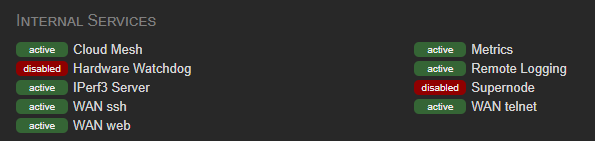
Please enable remote syslog under Internal Services on your nodes. This lets the WVMN Node Health Monitor see issues before they become bigger problems or slow the mesh down.
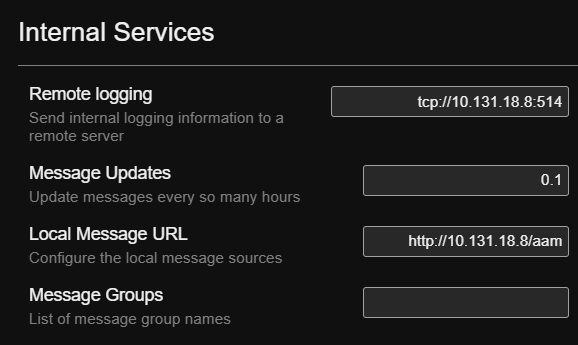
Use the following setting for Remote logging:
tcp://10.131.18.8:514
Step 2 – Enable WVMN AAM (AREDN Alert Message)
The WVMN AAM server provides AREDN Alert Messages to your node and can:
- Check your node's metrics and
sysinfo.json - Warn about high CPU load, low memory, and errors on network ports
- Use your remote logs (if enabled) to trigger alerts on important events
- Show NWS alerts for your area, with a direct link to MeshWeather
To enable AAM on your node, go to: Services → Internal Services and find Local Message URL.
Set the fields as follows:
Use the following setting for Local Message URL:
http://10.131.18.8/aam
Use the following setting for Message Updates:
0.1
After saving, your node will regularly call the WVMN AAM server. The responses will appear on your node under Status → Alerts. If Remote Logging is also enabled, AAM can correlate metrics and log events to surface more detailed and proactive alerts.